

 In a production environment it’s often important to control who has access to your systems and feature flagging is no different.
Flipt ships with built-in mechanisms and configuration for service-to-Flipt and user-to-Flipt authentication.
For service-to-Flipt authentication, Flipt supports static token and Kubernetes-based authentication methods.
However, neither of these methods is appropriate for browser sessions and the UI.
To solve this, Flipt supports OpenID Connect (OIDC) as a session-compatible authentication method.
OIDC is an open standard supported by many existing platforms such as Google, Okta, Auth0, GitLab, and many more.
In a production environment it’s often important to control who has access to your systems and feature flagging is no different.
Flipt ships with built-in mechanisms and configuration for service-to-Flipt and user-to-Flipt authentication.
For service-to-Flipt authentication, Flipt supports static token and Kubernetes-based authentication methods.
However, neither of these methods is appropriate for browser sessions and the UI.
To solve this, Flipt supports OpenID Connect (OIDC) as a session-compatible authentication method.
OIDC is an open standard supported by many existing platforms such as Google, Okta, Auth0, GitLab, and many more.
What You’ll Learn
In this guide, you will learn how to configure Google as an OIDC provider for Flipt. By the end of this guide, we will have:- 🔒 Run Flipt and configured it to
requireauthentication - 🔑 Created an OAuth consent screen and client in your Google workspace
- 🔐 Configured Google as an OIDC provider for Flipt
Prerequisites
For this guide you’re going to need the following:Brief Explanation of OIDC
OIDC is an extension on top of the OAuth standard for delegated authentication. OAuth allows Flipt to delegate authentication to an external provider of your choice. The OIDC extension provides the Relying Party (Flipt in this case) with a well-known protocol for requesting identity from an Identity Provider (IdP) (Google in this example). It ensures that we can support a multitude of IdPs through a standard set of configuration parameters. This means we don’t have to add more code to Flipt each time we want to support an additional identity provider. As long as the provider conforms to the OIDC standard, Flipt can be configured to leverage it. It also gives Flipt the option to obtain and present user profile pictures and email addresses in the UI.Running Flipt
For the purpose of this guide, we will start by configuring and running Flipt with a minimal configuration file.1. Create a New Directory
Creating a new directory is an optional step, however, we suggest you create a blank directory in which to experiment with Flipt.2. Define a Flipt config.yml
We’re going to create a configuration file named config.yml in the current directory.
This file will tell Flipt to increase its logging level to the maximum to aid in debugging.
It will also set authentication as required = true.
This is needed to ensure that Flipt enforces its APIs and must be provided with a credential of some sort to gain access.
config.yml
3. Run Flipt as a Docker container
In this step, we run Flipt and mount our localconfig.yml file into the running container.
This will start Flipt as a process in the foreground of your current terminal session.
You can stop Flipt by entering ctrl+C.
This particular command forwards your localhost port 8080 into the container’s localhost post 8080.
The 8080 port is the default for Flipt’s HTTP service and can be changed via the server configuration parameter.
4. Navigate to the Flipt UI
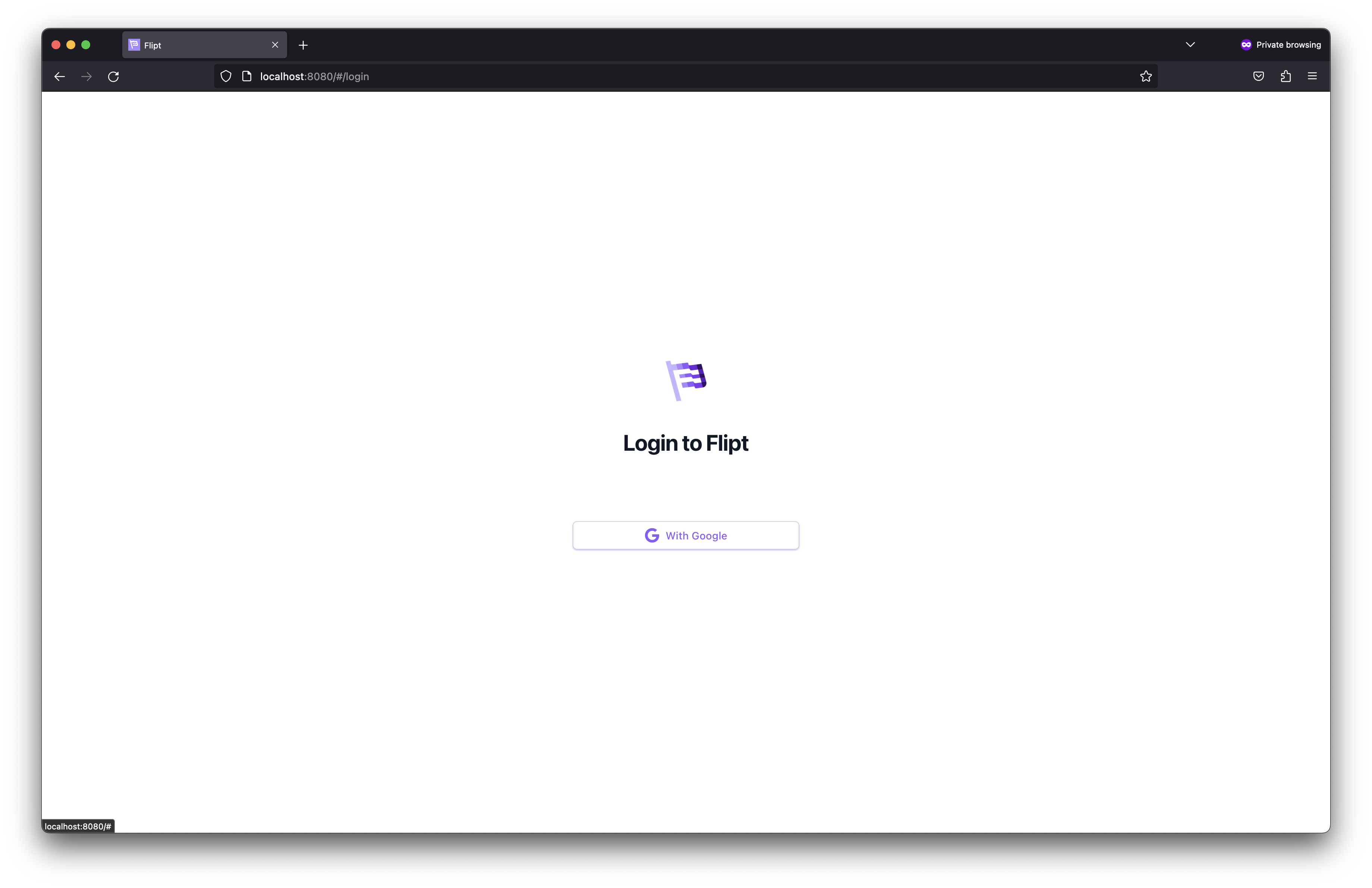
Once you visit Flipt’s UI, you should be greeted by a message stating that there are no login providers configured. As mentioned before, once authentication is required, a session-compatible method is needed to enable login. We’re now going to do that by configuring Google as an OIDC provider for Flipt.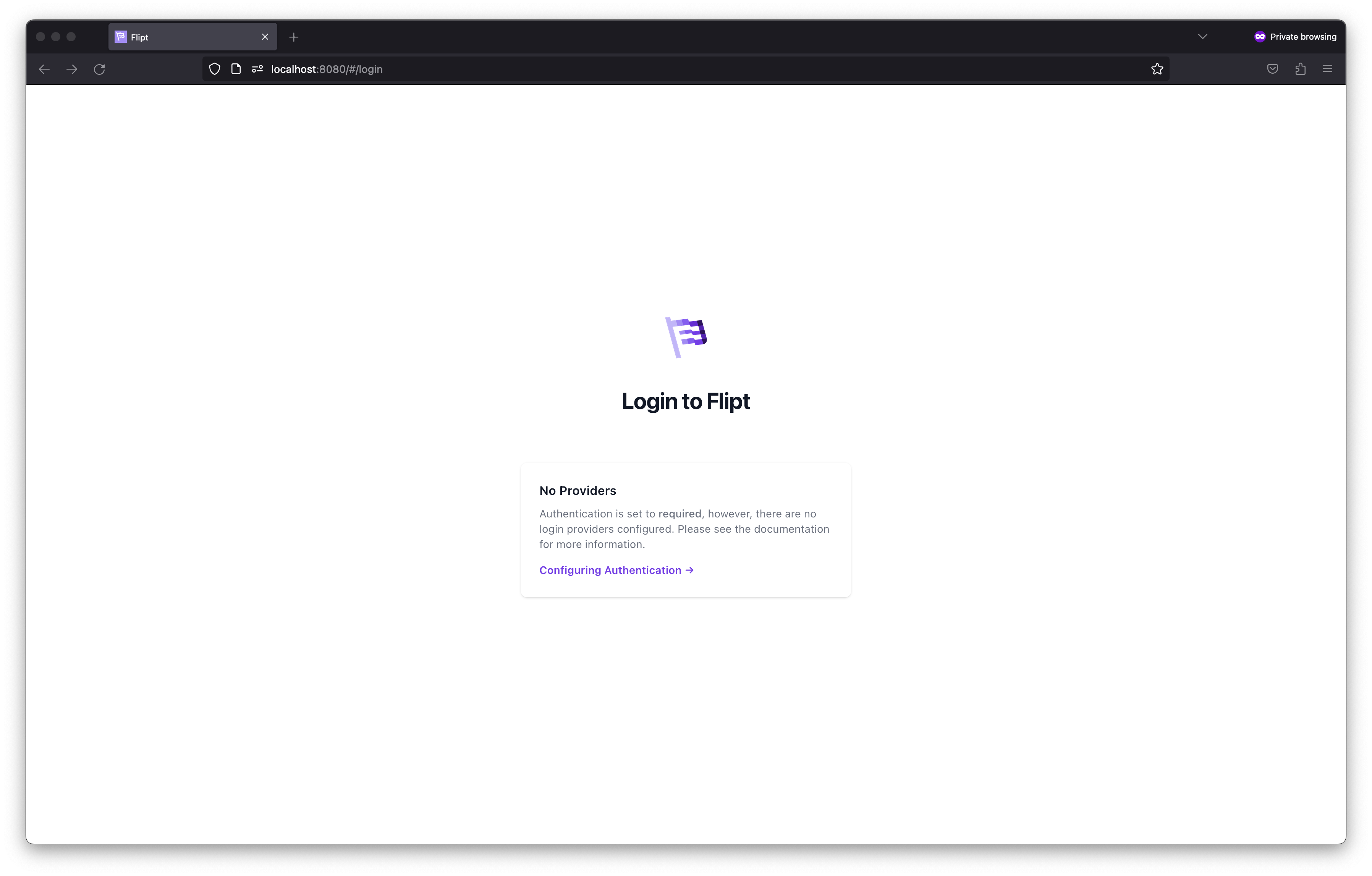
Creating a Google OAuth Client
In order to get Google setup as our IdP, we need:- A Google Cloud account
- To configure our OAuth consent screen
- To create a set of Google OAuth client ID credentials
1. Configure your OAuth Consent Screen
Your consent screen is the page you’re navigated to when attempting to login via Google. This is where you need to configure your consent application name and the scopes Flipt can request. Flipt requires the scopeopenid.
You can additionally choose to support both:
https://www.googleapis.com/auth/userinfo.emailhttps://www.googleapis.com/auth/userinfo.profile
2. Create your OAuth Client Credentials
- Navigate to Google Console Credentials.
-
Click
+ Create Credentials.
- API Key
- OAuth client ID
- Service Account
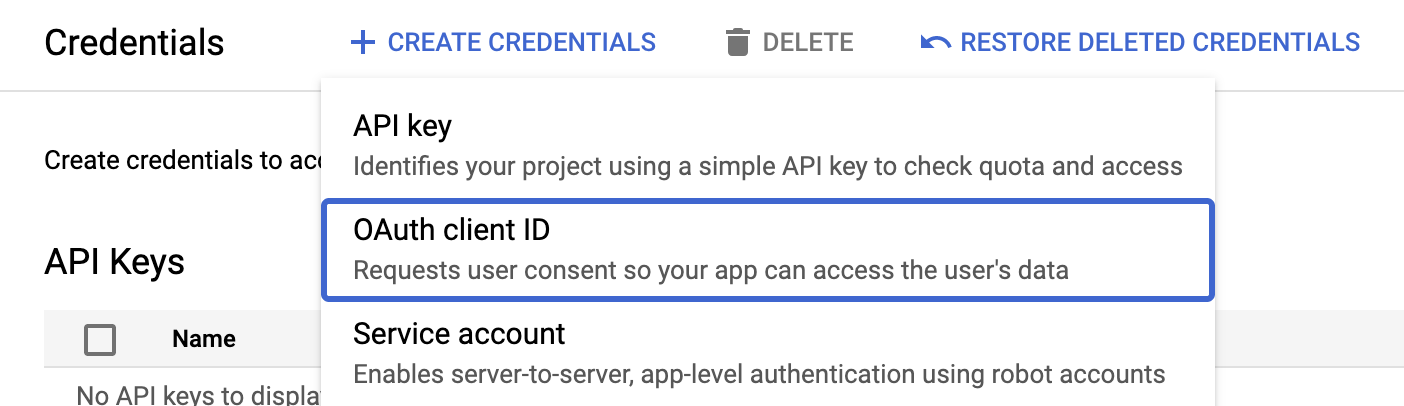 Select the
 OAuth client ID type and you will be taken to an input form (like the one below).
Select the Web application option when prompted to select an Application type.
Once selected you will be presented with more input options.
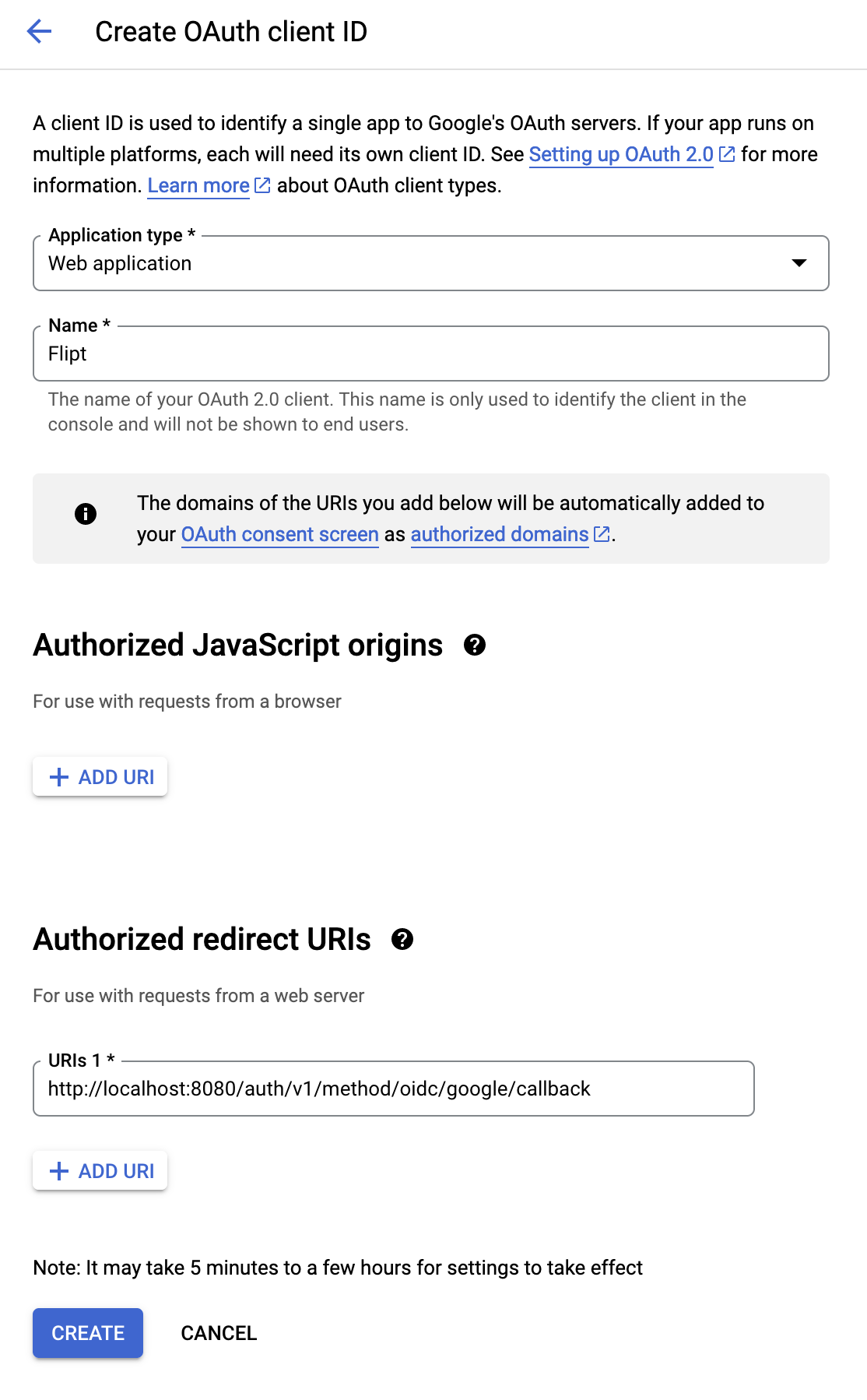
- Configure the clients name and redirect URL.
- Application type:
Web application - Name:
Flipt(something to identify the purpose of the credentials)
+ ADD URI.
Don’t get this confused with Authorized JavaScript originsThis will present us with an input box which we will populate with the following value:
http://localhost:8080/auth/v1/method/oidc/google/callback is the redirect URL for your local running instance.
In a production environment, you would replace the domain part of the URI with the public address of your Flipt instance.
- Click
Create.
 You will need to take note of these values, as you’re going to use them in the next step.
Configuring Flipt With OIDC Credentials
Now that we’ve an OAuth client configured in our Google Cloud account, we can begin configuring Flipt to leverage it.1. Add google provider to config.yml
Open your config.yml we created in the beginning of the guide.
Now we’re going to update your configuration with the details we obtained from Google.
The configuration below does the following for Flipt:
- Enables the OIDC method
- Configures the session domain
- Defines an OIDC provider called
google - Adds the specific configuration and credentials for the Google OIDC provider
config.yml
oidc method, and it has a section called providers.
Each key beneath the providers section is unique and can be whatever you want.
However, the name is important as it effects the redirect_url generated for the particular provider.
If you change this provider name from google to something else, then you will need to update your OAuth client details in Google Cloud.
For example, changing it from google to gcp would result in the redirect URI changing like so:
issuer_url, client_id, client_secret and redirect_address.
The scopes section is optional, and allows Flipt the opportunity to obtain additional details on the authenticating caller (e.g. email and profile picture).
2. Restart Flipt
You can now stop and start your Flipt instance using the Docker command we described in Section 1. Once Flipt has restarted you can to navigate your browser to the UI and attempt a login with Google. When you clickLogin with Google you should be navigated away to your Google consent screen.
Once you grant consent, you should return to Flipt and be logged into Flipt.
Production and Beyond
🎉 Congratulations, you’ve successfully run Flipt and enabled login with Google as the OIDC provider. You’re now equipped with everything you need to get this working in a production environment. To help you across the finishing line, here are some tips and considerations to keep in mind.1. Custom Flipt Domain
In reality, you’re not going to run Flipt onlocalhost.
You’re going to host it on some domain name on the public internet or within a VPN.
A few touch points will need to be updated with your new domain. For example, consider the domain https://flipt.internal.dev.
- Update your Google OAuth Client
- Session
domainand providerredirect_address
config.yml
2. Securing Flipt
- Enable CSRF protection
- Move credentials to environment variables
client_secret or your CSRF key) into a configuration file.
Flipt supports defining configuration in its YAML file and as environment variables.
Checkout our Configuration: Environment Variables section for details on how to provide configuration as environment variables.
As a quick example, both the Google provider client_secret and the CSRF signing key can be presented to Flipt like so: